
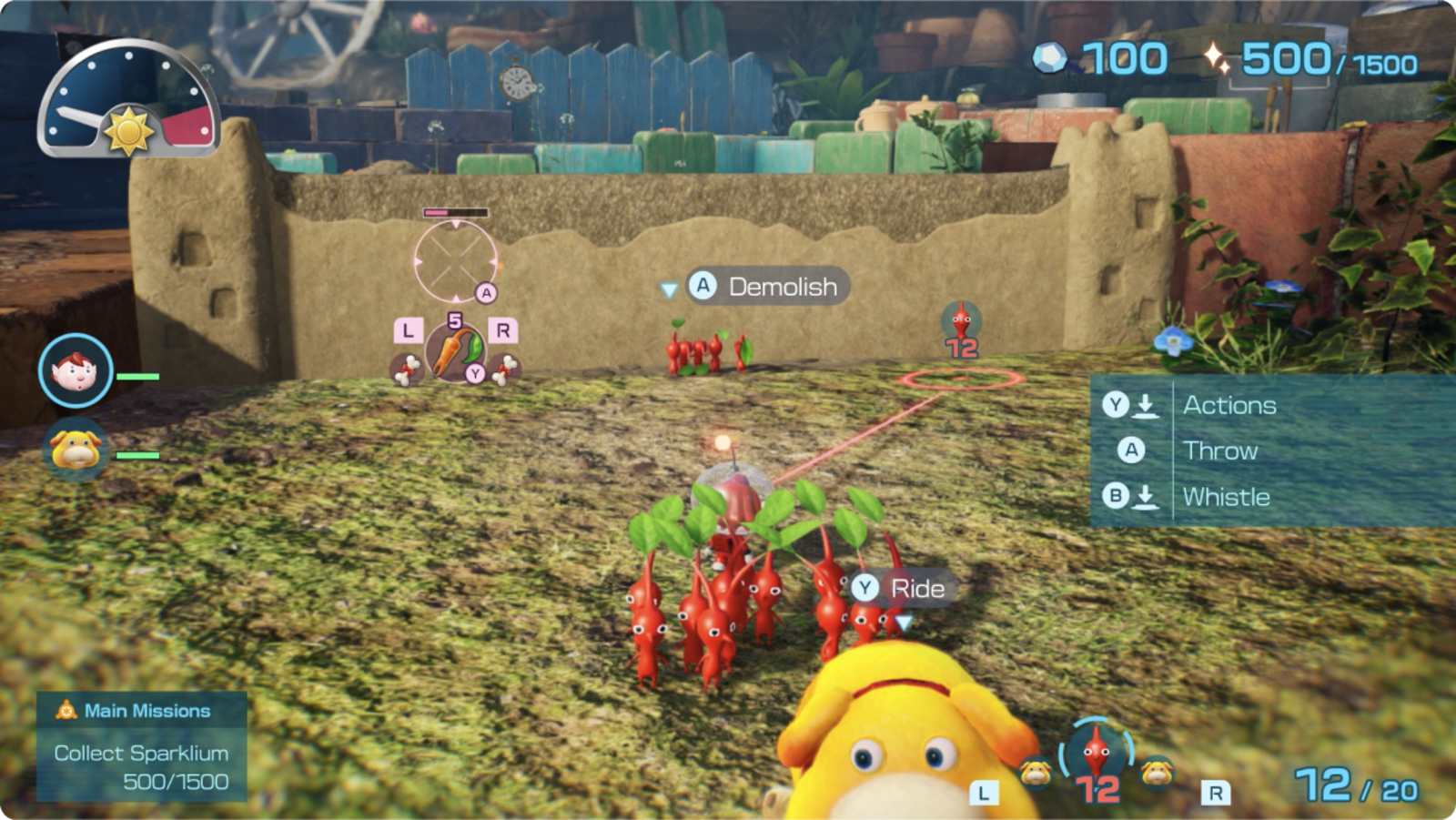
Whether you are a newcomer setting foot on planet PNF-404 for the first time or a seasoned Dandori veteran chasing high-efficiency runs, understanding the Pikmin 4 difficulty modes is essential for tailoring your expedition. Nintendo took a fresh approach to accessibility and mechanical balance in this installment, introducing custom creature tuning right from your opening save file. Choosing between the distinct Pikmin 4 difficulty modes will fundamentally transform how aggressive creatures behave, how quickly your colorful squad can perish, and how strictly your field resources are rationed.
For longtime fans who felt previous campaigns lacked bite—or casual explorers seeking a low-stress botanical safari—this comprehensive guide breaks down how creature Activity Levels function under the hood, how they alter moment-to-moment combat, and how to find the ideal gameplay rhythm for your style.
Understanding Creature Activity Levels in Pikmin 4
When setting out on your rescue mission, the game presents difficulty through a system called Creature Activity Level. Rather than using generic labels that merely boost enemy stats arbitrarily, these settings dictate environmental friction, predator behavioral routines, and squad capacity.
Selecting your initial profile establishes baseline multipliers across enemy durability, hazard reactivity, and the stun windows created by your canine companion, Oatchi. At higher settings, fauna actively hunt your units and react violently to intrusion. On gentler profiles, enemies adopt a passive posture, only fighting back when struck first.
The following table provides a comprehensive mathematical breakdown of how core mechanics shift across each level:
| Gameplay Attribute | Relaxed Mode | Normal Mode | Fierce Mode | | :--- | :--- | :--- | :--- | | Enemy Health Multiplier | Approximately 0.25x | 1.0x (Standard) | Approximately 2.0x | | Creature Hostility | Provocation only | Active / Territory-based | Aggressive & widened detection | | Max Field Pikmin Limit | 100 Pikmin | 100 Pikmin | 60 Pikmin Cap | | Environmental Hazard Speed | Approximately 0.25x | 1.0x (Standard) | Approximately 2.0x | | Enemy Pikmin Consumption | Approximately 0.25x | 1.0x (Standard) | Approximately 2.0x | | Freeze Duration Multiplier | Approximately 2.0x | 1.0x (Standard) | Approximately 0.5x | | Oatchi Rush Stun Duration | Approximately 2.0x | 1.0x (Standard) | Approximately 0.5x |
When evaluating the Pikmin 4 difficulty modes, it becomes obvious that these adjustments directly alter your day-to-day Dandori workflow. A shortened freeze window means Ice Pikmin cannot indefinitely lock down apex predators on harder levels, forcing players into agile repositioning.
Detailed Breakdown: Relaxed vs. Normal vs. Fierce
To determine which setting aligns with your intended campaign pace, let us dissect each option and how it alters your tactical choices in the wild.
Relaxed Mode: Stress-Free Exploration
Relaxed mode is engineered specifically for players who prioritize puzzle-solving, treasure charting, and scenery over intense mechanical execution. In this mode, wildlife remains completely docile until provoked by your squad. You can safely stroll past sleeping Bulborbs and roaming Burrowing Snagrets without fearing a sudden wipeout.
Furthermore, enemy health drops to a quarter of its standard value, while freeze and stun timers double. Hazard damage occurs at a crawl, giving you generous time to whistle burning or drowning units back to safety. It serves as an inviting on-ramp for younger gamers or those purely invested in the rescue narrative.
Normal Mode: The Standard Dandori Experience
Normal mode represents the default vision intended by the developers. Creatures defend their nests proactively, demanding that you scout routes and clean out corridors before hauling large payloads back to the S.S. Beagle.
Enemy durability and hazard lethality operate at baseline standards. You retain the full field capacity of 100 Pikmin (once unlocked through Flarlic discovery), enabling grand-scale multi-tasking across subterranean caves and sprawling open yards.
Fierce Mode: High-Stakes Tactical Survival
Fierce mode strips away the safety nets. Hostile fauna sport doubled health bars and double their feeding rate, devouring multiple tiny companions in single bites. Environmental hazards like fire, water, and poison kill twice as fast if you fail to whistle panicking units instantly.
Most importantly, Fierce mode caps your active field limit at 60 Pikmin. This strict threshold forces difficult roster compromises when assembling expedition squads across areas filled with diverse elemental gates.
| Player Type | Best Suited Mode | Primary Advantage | Main Drawback | | :--- | :--- | :--- | :--- | | Series Beginners | Relaxed | Zero surprise attacks from peaceful predators | Eliminates survival tension | | Casual Adventurers | Normal | Balanced exploration with full 100-squad capacity | Battles can occasionally feel breezy | | Dandori Perfectionists | Fierce | Strict 60-unit cap demands ruthless micro-management | Boss encounters require extensive chipping | | Speedrunners | Fierce / Normal | Higher skill ceiling for routing and hazard bypass | Greater risk of campaign resets |
Navigating the three primary Pikmin 4 difficulty modes requires understanding what kind of friction you enjoy most: peaceful cartography or razor-sharp time management.
Comparing Pikmin 4 Difficulty Modes to Previous Entries
The evolution of difficulty in the franchise has seen notable shifts over the past two decades. Early entries like the original 2001 classic relied on strict 30-day time limits, while Pikmin 2 introduced sprawling subterranean dungeons packed with lethal traps and rare Queen Candypop Buds.
Pikmin 3 Deluxe marked Nintendo's first official inclusion of formal named difficulties: Normal, Hard, and Ultra-Spicy. Pikmin 4 refines this concept into creature Activity Levels, streamlining the day length while shifting balance heavily into creature behavior and squad ceilings.
Check out the official features on the official Pikmin 4 Nintendo Switch portal to see how the game balances these fresh options alongside modern mechanics like night expeditions.
| Feature Comparison | Pikmin 1 & 2 (Originals) | Pikmin 3 Deluxe (Ultra-Spicy) | Pikmin 4 (Fierce Mode) | | :--- | :--- | :--- | :--- | | Difficulty Selection | None (Single Static Curve) | 3 Tiers (Normal, Hard, Ultra-Spicy) | 3 Tiers (Relaxed, Normal, Fierce) | | Field Unit Cap | Fixed at 100 | Capped at 60 (Ultra-Spicy) | Capped at 60 (Fierce) | | Day Length Scaling | Fixed Timer (13–15 min) | Reduced to 13 minutes | Static Day Clocks Across Modes | | Lock-On Assistance | Free Manual Aiming | Manual Button Lock-On | Dynamic Auto Lock-On | | Squad Transport Mount | None | None | Oatchi (Rescue Pup) |
Examining how the Pikmin 4 difficulty modes measure up against historical entries highlights Nintendo's philosophy: transferring challenge away from punishing global day limits and into tactical field density.
Community Perspectives: Auto-Lock, Oatchi, and Combat Balancing
While formal difficulty toggles provide numerical balance, player experience and community reports frequently highlight how core gameplay mechanics influence perceived challenge. Across gaming forums and content creator reviews, veteran players often point out that baseline combat can feel overly automated regardless of your chosen profile.
The Auto-Aim and Oatchi Dynamic
Two additions in particular have fueled widespread community discussions:
- Dynamic Auto Lock-On: Unlike earlier games where players manually led moving targets with precision crosshairs, the cursor in Pikmin 4 snaps automatically to nearby foes and objects. Community reports note that while this assists newcomers, it occasionally interferes with target prioritization in crowded sandpits.
- Oatchi's Rush Attack: Charging on Oatchi carries your entire squad into battle simultaneously, delivering burst damage that can instantly stagger large foes like Emperor Bulblaxes.
- Underground Wild Pikmin: Subterranean caves frequently grant wild Pikmin reinforcements, softening the sting of squad losses mid-dungeon.
| Mechanic / Feature | Intended Function | Community Perspective & Impact | | :--- | :--- | :--- | | Auto Lock-On System | Eliminates manual aiming friction for new players | Reduces precision skill; can misdirect throws in crowded zones | | Oatchi Mounted Charge | Unified squad mobility and burst initiation | Trivialize many frontal confrontations unless playing on Fierce | | Flarlic Onion Upgrades | Incremental field squad expansion (10 units per bulb) | Gates early multi-tasking but smooths out progression | | Wild Cave Pikmin | Replenishes casualties during lengthy subterranean expeditions | Diminishes the resource-management fear present in Pikmin 2 |
These debates surrounding the Pikmin 4 difficulty modes often intersect with individual playstyles. Dandori purists frequently craft self-imposed challenges—such as forbidding Oatchi's rush or running "no-death" underground gauntlets—to reclaim the white-knuckle tension of earlier titles.
How to Change Your Difficulty Setting Mid-Game
Nintendo recognized that players might want to adjust their experience after getting hands-on with the game's mechanics. You are never permanently trapped in the choice you made on day one.
Steps to Switch Difficulty
- Pause the game during daytime exploration or at the Rescue Command Post.
- Navigate to the System / Options menu using the shoulder buttons.
- Locate the Creature Activity Level setting under gameplay preferences.
- Toggle between Relaxed, Normal, or Fierce based on your current preference.
- Confirm your selection and resume exploration.
Keep in mind that adjusting your selected Pikmin 4 difficulty modes during an active campaign carries a record-keeping consequence. If you drop down from Fierce to Relaxed (even temporarily for a single boss), your final campaign results screen will record the lowest difficulty setting utilized during that playthrough.
| Setting Action | How to Execute | Record-Keeping Consequence | | :--- | :--- | :--- | | Initial Game Setup | Selected on the save file creation screen | Displays selected baseline badge on file | | Lowering Mid-Campaign | Options Menu -> Creature Activity Level | File results reflect the lowest tier activated | | Raising Mid-Campaign | Options Menu -> Creature Activity Level | Does not grant retroactive pure-Fierce completion status | | Dandori Challenge Stages | Fixed per trial or tied to master score | Evaluated on bronze, silver, gold, and platinum medaling |
If you aim to showcase a pristine Fierce completion badge on your save slot, maintain that setting without alteration from your maiden landing to the final credit roll.
Frequently Asked Questions
What are the main Pikmin 4 difficulty modes called?
In Pikmin 4, difficulty modes are officially designated as Creature Activity Levels. The three available settings are Relaxed, Normal, and Fierce, arranged in increasing order of environmental danger and creature aggression.
Can you change between Pikmin 4 difficulty modes at any point?
Yes, you can swap between the available Pikmin 4 difficulty modes at any time through the in-game options menu. However, players testing different settings should note that your campaign record card will permanently display the lowest difficulty setting used during that specific run.
How does Fierce mode limit my squad compared to Normal?
Fierce mode caps your active field squad at a maximum of 60 Pikmin, even after you collect every Flarlic upgrade across the surface maps. Normal and Relaxed modes allow your squad to scale up to the traditional cap of 100 Pikmin.
Does difficulty affect Dandori Battles and Challenges?
Pre-set Dandori Challenge stages feature their own tailored scoring brackets and time constraints. However, general creature health, stun response times, and predator consumption speeds within story mode exploration scale directly with your active creature Activity Level.